TheMedSol

A patient monitor your instructors can drive.

TheMedSol turns tablets into a simulation set. MedControl in the instructor's hands, MedMonitor at the bedside, MedAccess for the team's instruments. Change a rhythm or a blood pressure and the monitor follows.

HR /min

Lead II, drawn from the same rhythm generator MedMonitor uses. Pick a rhythm, the way an instructor does in MedControl.

See it running

Short recordings of the apps during a session. They start muted; tap the speaker on a video to hear the monitor.

Three apps, one session Connect the tablets, change the patient on MedControl and watch MedMonitor follow. MedAccess takes a glucose reading, and the session ends up in the training log.
From MedControl to MedMonitor Stage a new heart rate and send it, pick atrial fibrillation from the rhythm library, then send SpO₂ as a 30-second trend.
Resuscitation Ventricular fibrillation from the CPR panel, a 200 J charge and shock on MedMonitor, then the instructor changes the rhythm back to sinus on MedControl.
Debrief The training log, card by card: the session summary, CPR in numbers and every event, timed.

Three apps, one session

Each tablet has one job. They connect over your local Wi‑Fi and stay in step for the whole scenario.

MedControl The instructor's console

Heart rate, SpO₂, blood pressure, etCO₂ and respiratory rate on one screen. Stage your changes and send them together, either at once or as a trend over 30 seconds to 5 minutes.

  • Pick from the rhythm library and lock the displayed rate
  • Step through scenario phases and tick off the team's actions
  • Declare an arrest, run CPR timers and log events as they happen
  • Send lab results, pager messages and media to the trainees
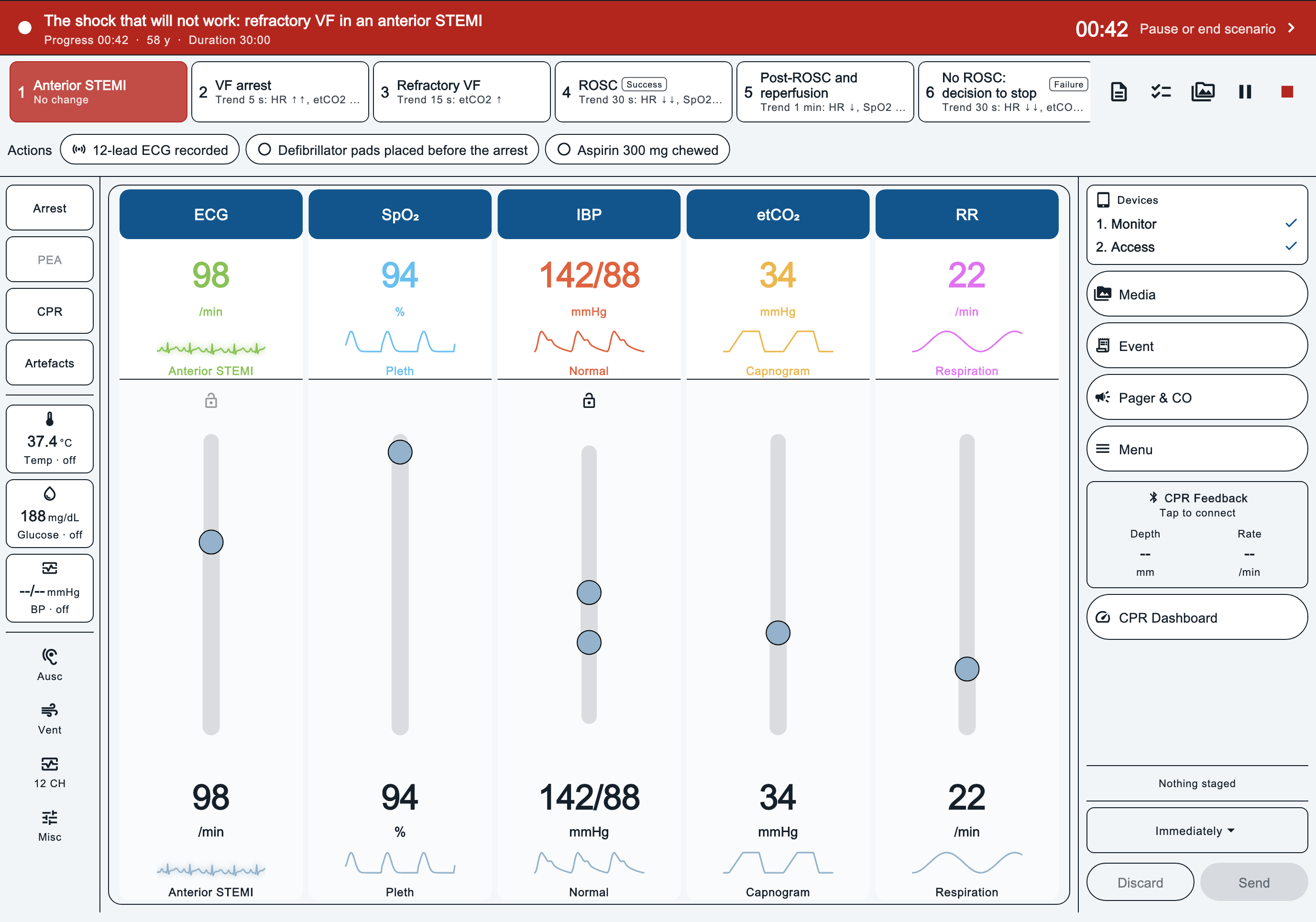
MedControl during a running scenario: phase cards across the top, and sliders for ECG, SpO2, IBP, etCO2 and respiratory rate.

MedMonitor The bedside monitor

Live ECG, pleth, arterial, capnogram and respiration waveforms with the numbers and alarm limits trainees expect to read. A defibrillator and pacer sit on the same screen.

  • Standard, large-numerics and waves-only layouts, plus a 12-lead view
  • Alarm limits, priorities, tones and silence
  • NIBP cycles with the time of each reading
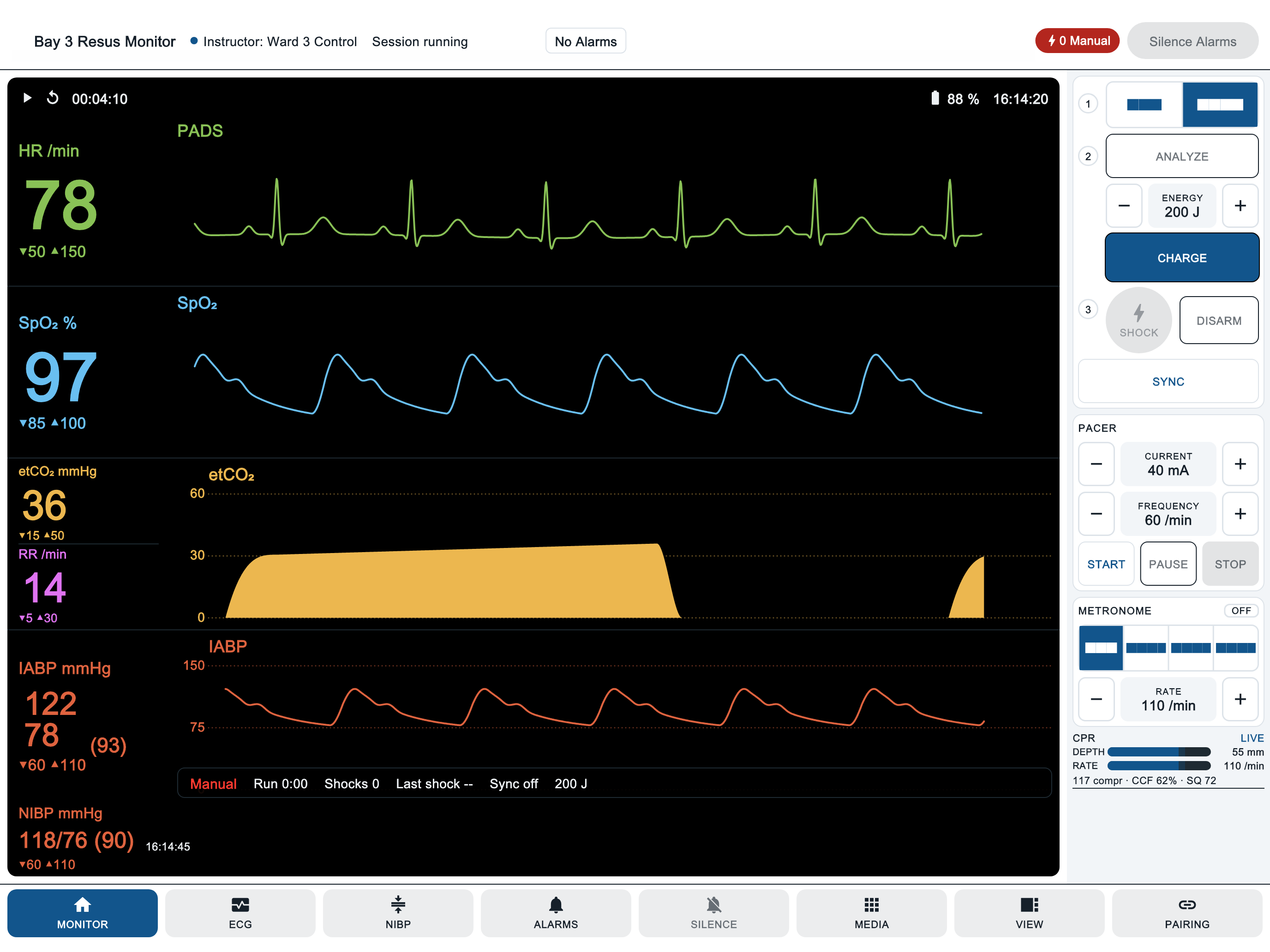
MedMonitor showing heart rate 78, SpO2 97, etCO2 36, respiratory rate 14 and arterial pressure 122 over 78, with the defibrillator and pacer panel on the right.

MedAccess The team's instruments

The tools a team reaches for around the patient. Each one answers with what the instructor has set, after a short delay, the way a real measurement would.

  • Auscultation with recorded heart, lung and bowel sounds
  • Blood glucose, thermometer and manual blood pressure
  • Checklists and a GCS calculator
  • Lab reports, ICU values, pager, media and a CO detector
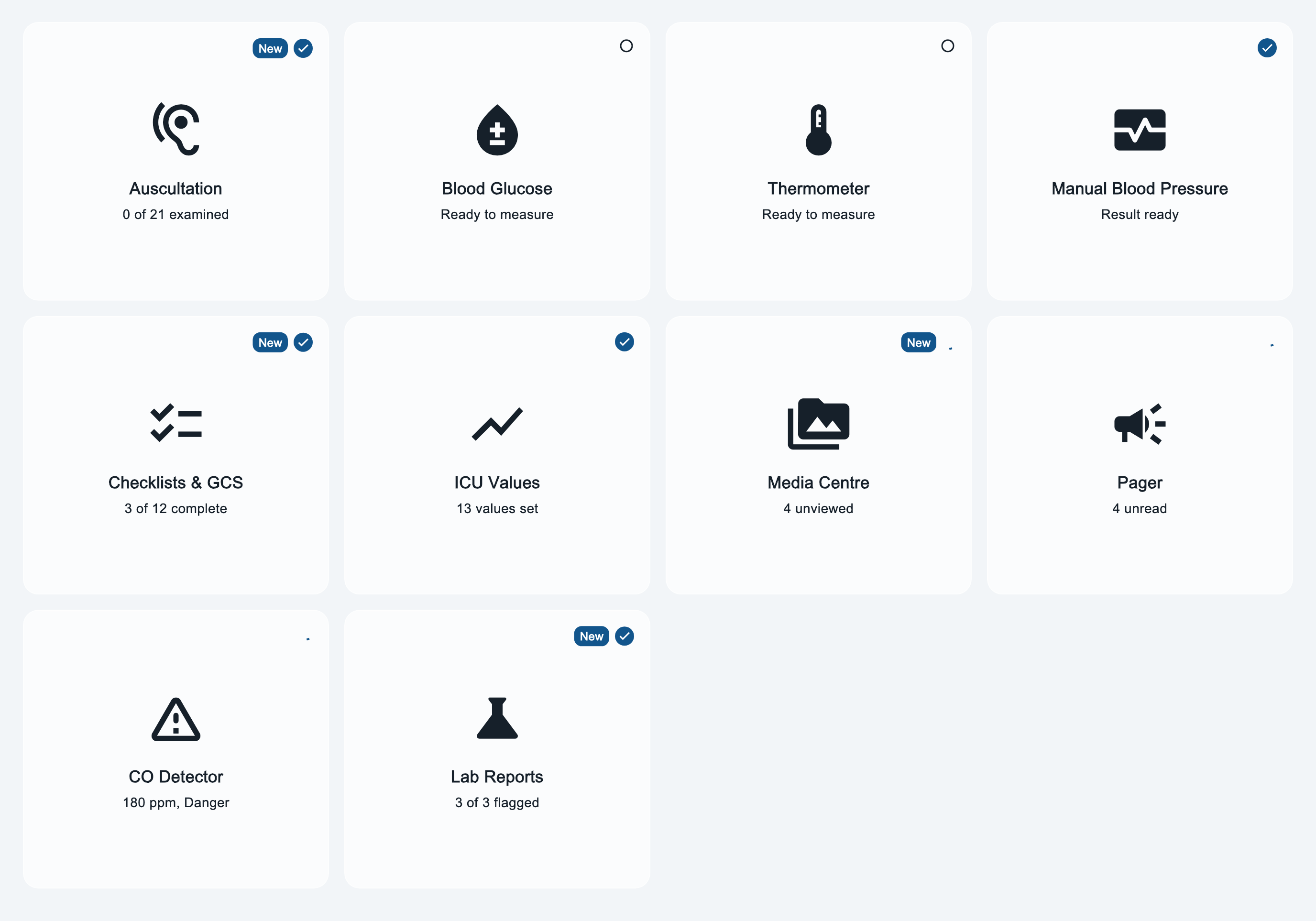
MedAccess home screen with tiles for auscultation, blood glucose, thermometer, manual blood pressure, checklists, ICU values, media, pager, CO detector and lab reports.

How a session runs

From switching on the tablets to talking it through afterwards.

  1. Connect

    Open MedMonitor and MedAccess on the same Wi‑Fi as the instructor's tablet. They find MedControl on their own. No internet is needed while the session runs.

  2. Brief

    Choose a scenario from your organisation's library, or start a free session. The patient's starting state appears on the monitor.

  3. Run

    Move through the scenario's phases. Each phase can trend the vitals towards new targets while the team assesses, treats, shocks and paces.

  4. Debrief

    The training log keeps the phases reached, shock times, CPR figures and the events you recorded, ready to go through with the team.

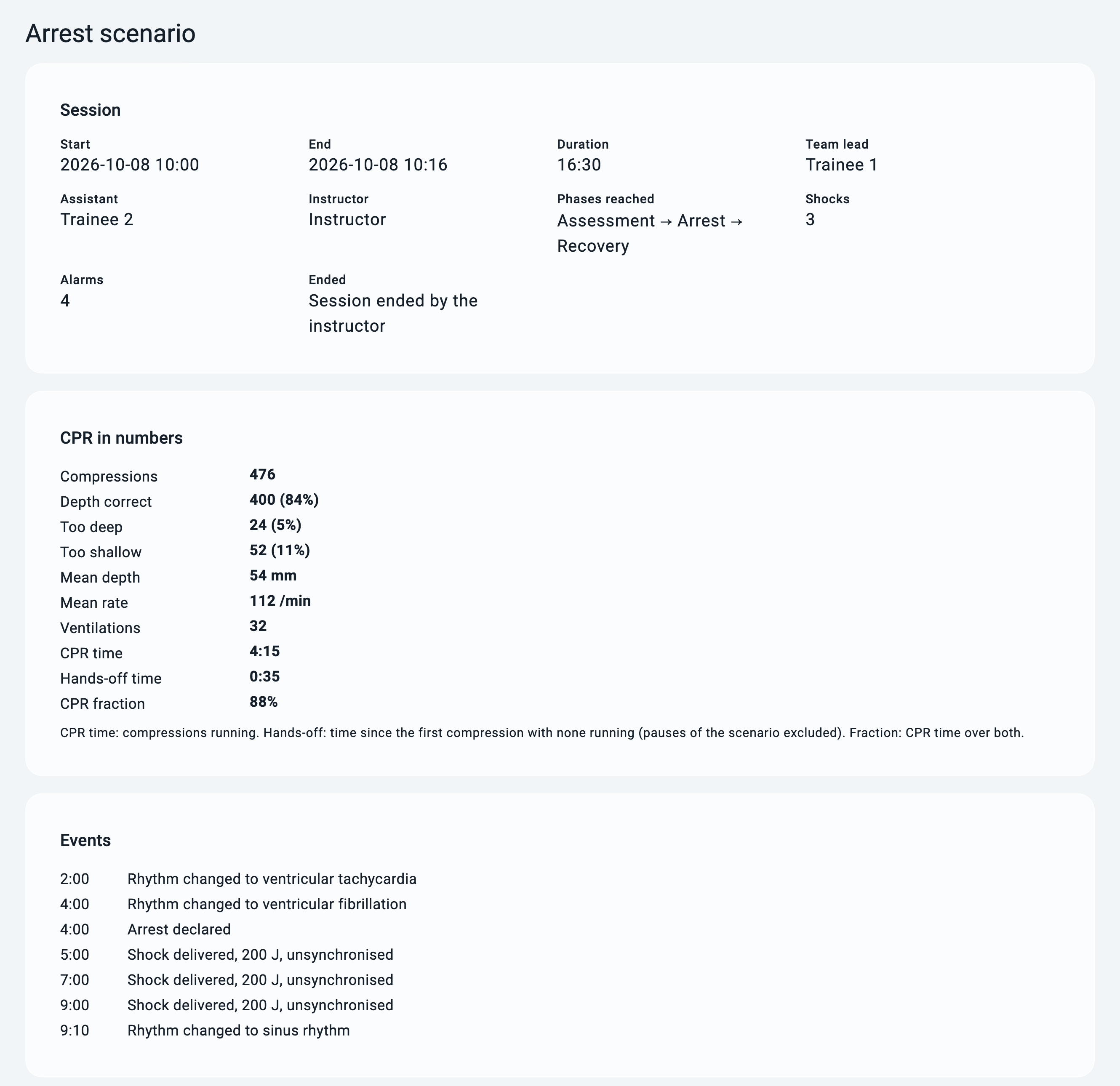
MedControl training log: session summary, CPR in numbers and the timed events of a 16-minute arrest scenario.
A MedControl training log: the session, CPR in numbers and every event, timed.

What trainees see, hear and do

Monitoring

ECG
76 rhythms, from sinus rhythm and AV blocks to STEMI patterns, pacemakers and arrest rhythms, across 12 modelled leads
SpO₂
Pleth waveform and saturation
IBP
Arterial waveform with normal, poor-perfusion, under- and over-damped shapes
etCO₂
Capnogram, including the obstructive shape
RR
Respiration waveform and rate
NIBP
Cuff cycle with a timestamped result

Resuscitation

  • Manual and AED modes, with spoken AED prompts
  • Energy selection, charge, shock and synchronised shock
  • Pacing with rate, current and capture
  • CPR metronome: continuous, 30:2 or 15:2
  • Compressions, shocks and pacing show on the waveforms

Scenarios

  • A briefing, a starting patient state and a sequence of phases
  • Each phase sets targets, trend times and the actions you expect
  • Success and failure branches send the case where the team takes it
  • Checklists and lab results attached to the phase they belong to

Alarms in context

Limits, priorities and tones behave as they would on the ward, so trainees learn to triage what the monitor is telling them.

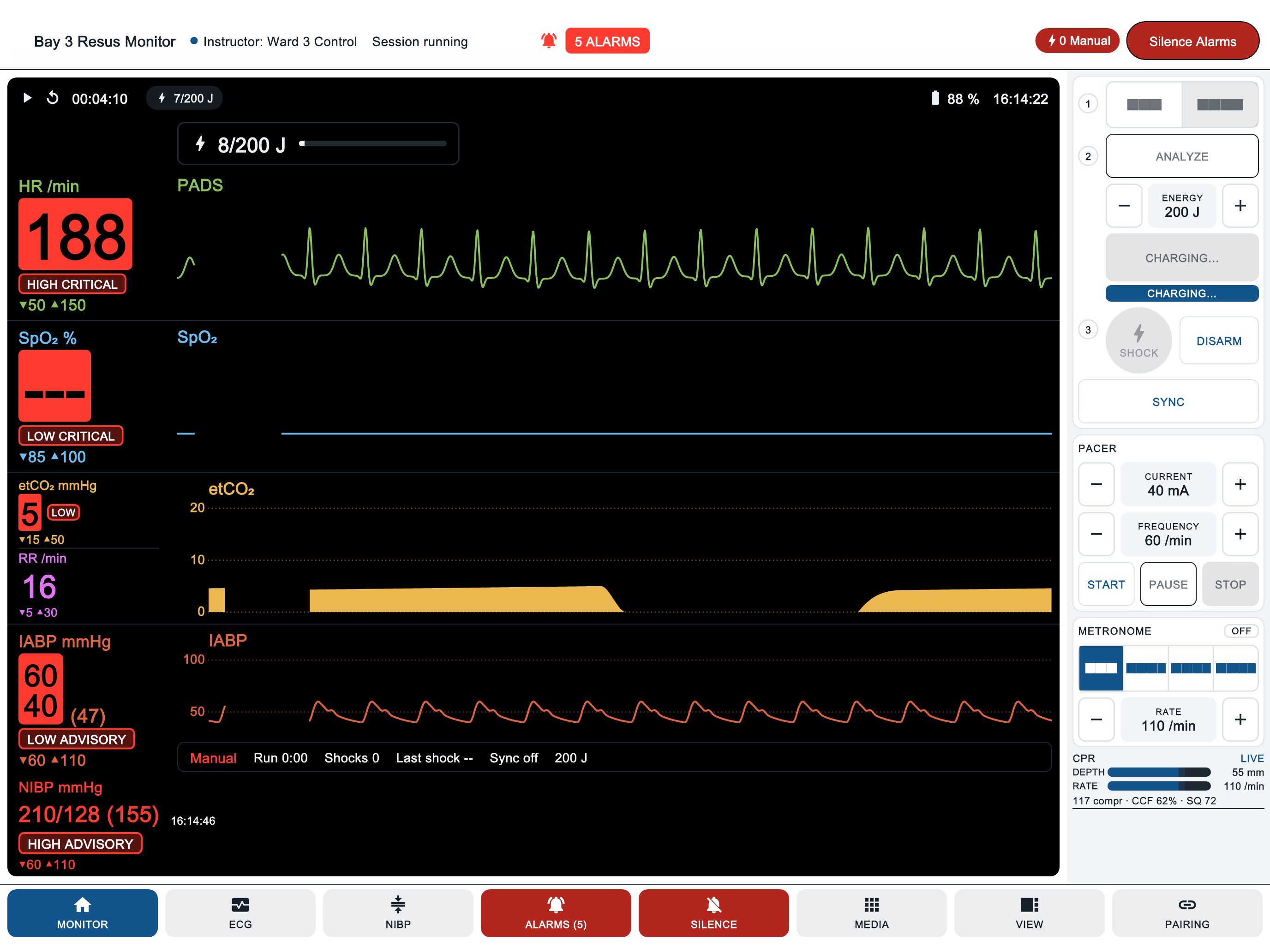
MedMonitor with five active alarms: heart rate 188 high critical, SpO2 low critical, etCO2 low, arterial pressure low and NIBP high, while the defibrillator charges.

Who it is for

Medical and nursing colleges

Run the same scenario for every group in a cohort, with the instructor in charge of each change. Start with reading a rhythm and build up to a full resuscitation.

Hospital training teams

Take simulation to the skills lab or the ward on tablets. Sessions run over the local Wi‑Fi, so they do not depend on the hospital's internet connection.

The apps run on Android tablets and iPad. The portal runs in any modern browser.

One portal for your organisation

Your administrators manage people, tablets and teaching content from the browser.

Licences
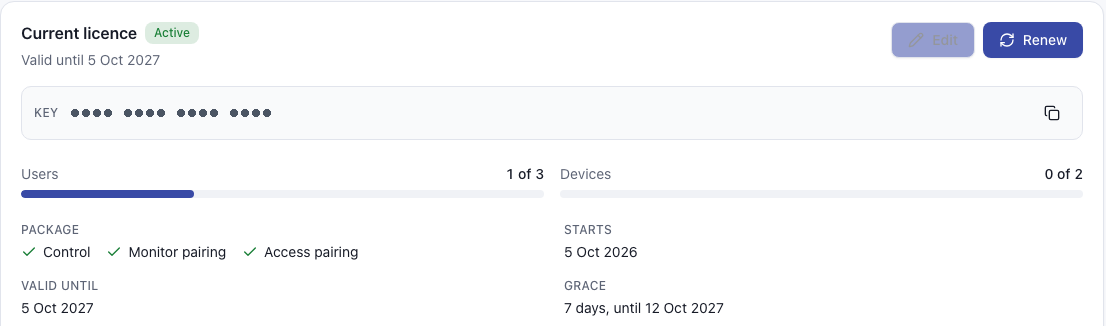
See your seats, enrolled devices and validity dates. Tablets keep working offline between check-ins.
People
Invite instructors and administrators by email and give each the right role.
Devices
Enrol tablets with a code, and revoke one if it goes missing.
Scenarios
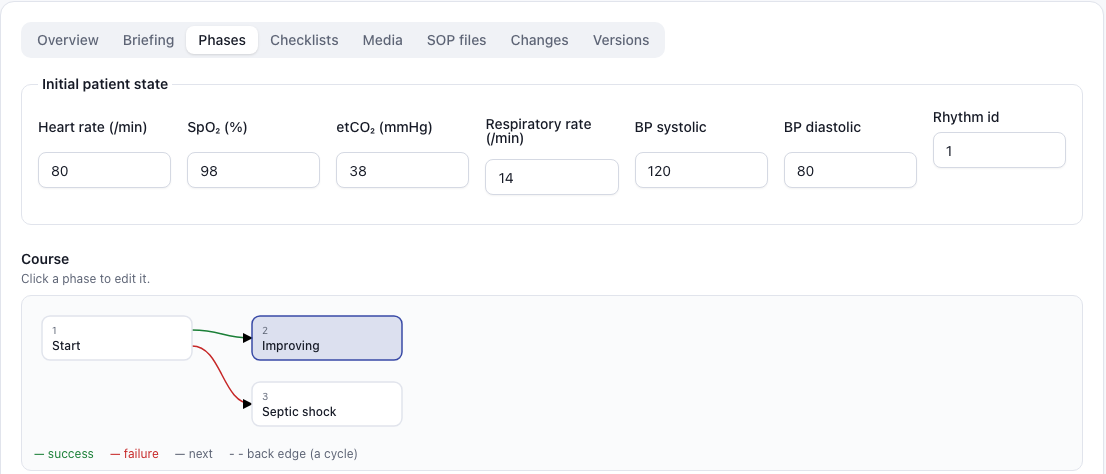
Write scenarios with a visual phase map, send them for review before release and keep every version. Checklists, lab templates and media live alongside.
Sync
Released scenarios and rhythms reach your tablets the next time they sync.
Portal scenario editor: initial patient state fields and a phase map from Start to Improving or Septic shock.
Portal licence panel: active licence with users 1 of 3, devices 0 of 2, the Control, Monitor and Access package, and validity dates.

Request a demo

Tell us about your programme and how many groups you train. We will set up a walkthrough of all three apps and the portal.